Understand the funnel
Compare views, starts, submitted responses, completion, and average completion time to see where intent becomes action.
Responses and insight
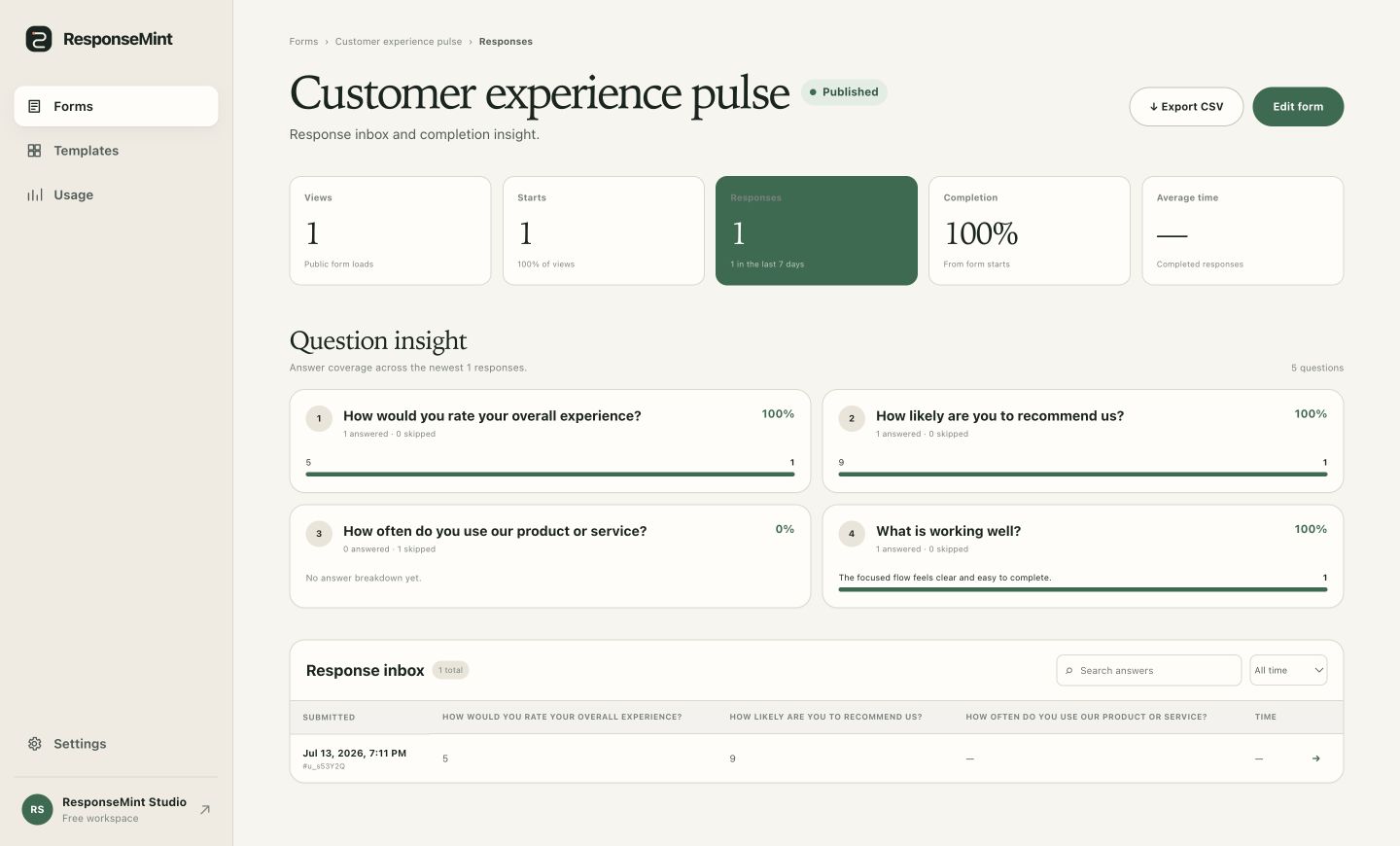
A completion rate can tell you where to look. The response behind it tells you what to do. ResponseMint keeps top-line form metrics, question coverage, searchable answers, and export in the same workspace.
From metric to decision
Answers with context
Move from a broad signal to the exact submission without losing the version, question, or campaign context around the answer.
Compare views, starts, submitted responses, completion, and average completion time to see where intent becomes action.
Review question-level answer coverage and skipped fields to spot where the conversation needs clearer wording or a better path.
Search the inbox, inspect individual submissions, and export complete response history to CSV for the next workflow.
What you can do
Separate people who loaded the form from those who took the first step.
Track completed submissions and the share of started forms that reached submit.
See how long completed responses take so you can recognize an unexpectedly heavy form.
Check answer coverage and skipped counts for the newest response set question by question.
Find relevant submissions, filter the time window, and open one response without leaving the form workspace.
Keep each response tied to the published form version the respondent actually answered.
Open uploaded files from the response that owns them instead of separating documents from the rest of the answers.
Download the response history in a portable format when analysis or follow-up belongs in another tool.
A practical workflow
Start broad, find the point of friction, open the human context, and make one deliberate improvement.
Use views and starts to see whether the invitation and opening screen earn the first action.
Compare starts, responses, completion, and average time before changing individual questions.
Find the question where answers disappear, then open related responses to understand what happened.
Make the next draft clearer, publish deliberately, and preserve the context of earlier answers.
Questions buyers ask
No vague promises. These answers describe the product you can use today.
The response workspace includes views, starts, responses, completion, average completion time, and question-level answer coverage.
Yes. The response inbox lets you search and open a submission with its answers and associated uploaded files.
Existing submissions remain tied to the published version that collected them, so the original question context is preserved.
Yes. You can export the complete response history to CSV for analysis, backup, or follow-up elsewhere.
Keep the answer behind the number
Free to start · No card required