Recruit the right participants
Use conditional intake to collect role, behavior, availability, and relevant context before an interview or beta.
Built for product teams
Move from a product question to a focused research form, then keep the broad signal and the user explanation together. ResponseMint is built for teams that need useful answers, not another survey dashboard in isolation.
For continuous discovery
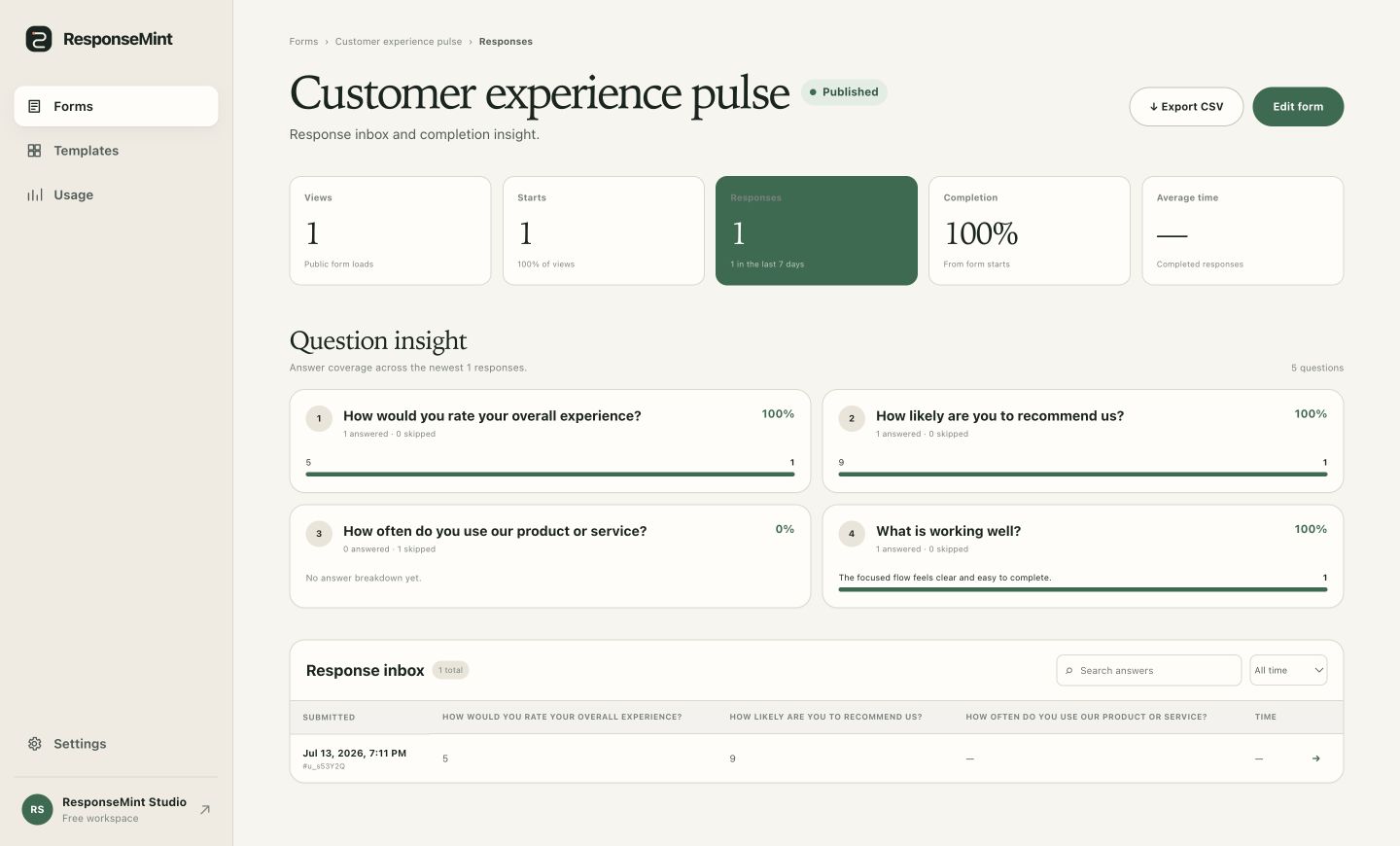
Research that reaches the roadmap
Keep response volume, question performance, and individual language connected so patterns do not erase the person behind them.
Use conditional intake to collect role, behavior, availability, and relevant context before an interview or beta.
Pair ratings and opinion scales with targeted open questions about the workflow, pain, or desired outcome.
Use question coverage and completion insight to refine the next published version without rewriting earlier responses.
What you can do
Start from needs assessments, post-experience feedback, intake, event registration, and satisfaction surveys.
Route qualified participants into deeper questions and give other respondents an honest alternative ending.
Combine scales and structured choices with long-text prompts, consent, and optional supporting files.
Capture configured hidden parameters with the response for cleaner source or cohort context.
See which prompts are answered or skipped before reading individual submissions.
Export complete response history to CSV for synthesis or analysis in the team’s existing workflow.
A practical workflow
The form is an instrument. Its value comes from the decision it helps the team make.
State what the team will decide differently if the research produces a clear answer.
Use one signal, one explanation, and only the segmentation questions that change the interpretation.
Preview the branch for every role, behavior, or qualification outcome.
Review coverage and completion, then open the responses that explain the signal.
Questions buyers ask
No vague promises. These answers describe the product you can use today.
Yes. Conditional questions, consent, contact fields, dates, and tailored endings support participant intake and qualification.
Yes. Ratings, scales, choices, numbers, and dates can sit alongside short- and long-text prompts.
The response workspace shows views, starts, completion, average time, and question-level answer coverage.
Direct repository integrations are not shipped yet. Complete responses can be reviewed in ResponseMint and exported to CSV today.
Start with one useful question
Free to start · No card required