Structure the evidence
Use choices, dates, numbers, scales, text, consent, and uploads to collect comparable answers and necessary context.
Research and applications
Combine structured answers, longer context, consent, and supporting files in a focused flow. ResponseMint helps teams collect serious detail while keeping the respondent experience clear.
For higher-effort forms
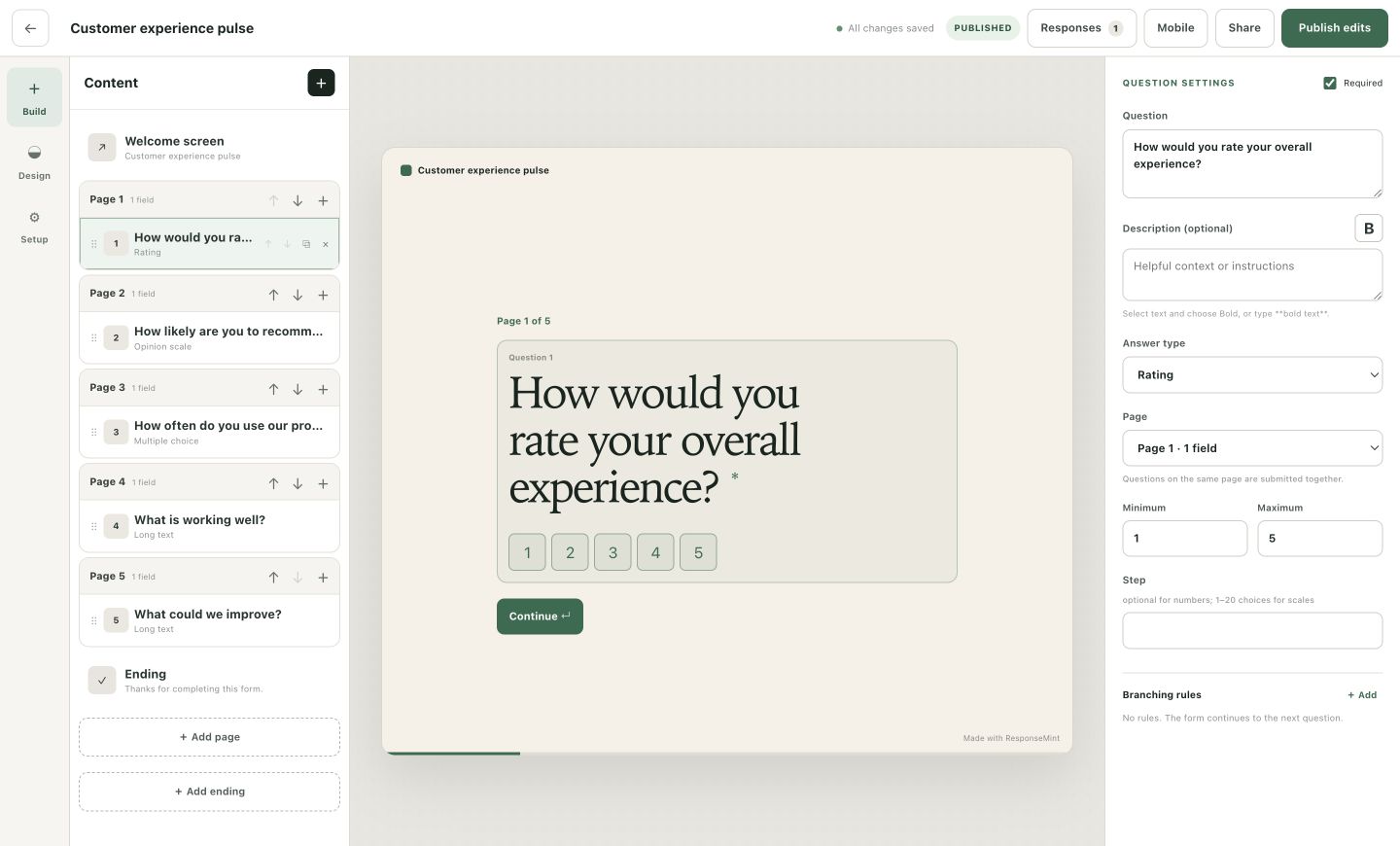
Depth without disorder
The form can collect detail, but each respondent should only see the detail that belongs to their path.
Use choices, dates, numbers, scales, text, consent, and uploads to collect comparable answers and necessary context.
Branch around sections that do not apply and use content blocks to explain why the next detail matters.
Open each response with its uploaded files and published form version, then export the full dataset when needed.
What you can do
Combine structured choices and scales with long-text evidence, dates, contact fields, and numeric values.
Add a dedicated consent block with a clear label and required state.
Accept documents or images with optional accepted-type and size controls.
Send different applicants or participants to the next relevant section or ending.
Show progress and optionally preserve in-progress answers in the same browser tab.
Keep the submission tied to the published questions that collected it, even after the form evolves.
A practical workflow
A good application is understandable to complete and consistent enough to review.
Write down what a reviewer needs to decide before adding fields.
Move from easy identifying information to qualifications, context, consent, and supporting material.
Ask deeper questions only when an earlier answer makes them necessary.
Complete every path on desktop and mobile before publishing the stable link.
Questions buyers ask
No vague promises. These answers describe the product you can use today.
Yes. File-upload questions support accepted file types and a configurable limit up to the product maximum.
Yes. Use a dedicated consent checkbox with your own label and required setting.
When enabled, progress is stored locally so the respondent can continue in the same browser tab.
Yes. The complete response history is available as CSV.
Start with one useful question
Free to start · No card required