Capture real intent
Ask about the problem, desired outcome, timing, and contact details one clear question at a time.
Lead qualification
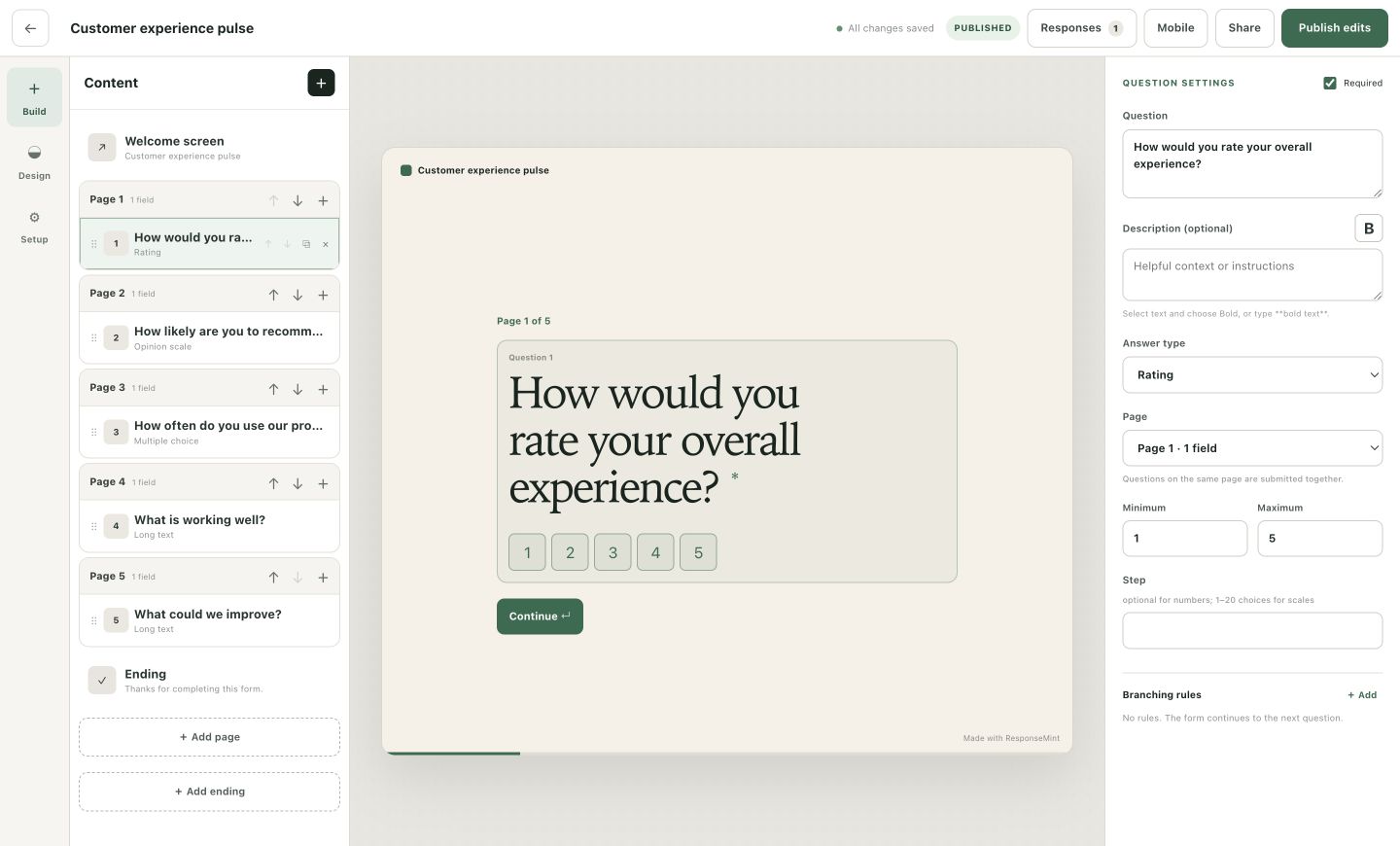
Ask enough to prepare the next sales conversation—not enough to lose the person before it starts. ResponseMint combines a calm one-question flow with conditional paths and endings for different levels of fit.
For sales-led forms
Protect buyer momentum
Qualification should create a better handoff, not force a buyer to repeat a discovery call in a form.
Ask about the problem, desired outcome, timing, and contact details one clear question at a time.
Show relevant follow-ups for a product need, team size, budget range, or timeline and skip the rest.
Use tailored endings, buttons, or redirects for a qualified lead, an early-stage buyer, or a request outside the current fit.
What you can do
Collect email, phone, short text, long text, choices, numbers, and dates in the order that feels natural.
Route forward using choice, text, number, date, yes/no, consent, rating, or scale conditions.
Give each outcome a clear next step instead of sending every lead to the same generic thank-you.
Store configured hidden URL parameters alongside the answers for cleaner source context.
Accept a brief, image, or document inside the flow when qualification genuinely depends on it.
Find a relevant submission in the response inbox or export the complete history to CSV.
A practical workflow
Earn the right to ask for more detail by making each previous question feel relevant.
Let the buyer identify the problem or outcome before asking for internal details.
Ask only the criteria that materially change whether and how sales should follow up.
Request timeline, scale, files, or context only on the paths where that information matters.
End with the next conversation, a resource, or an honest alternative.
Questions buyers ask
No vague promises. These answers describe the product you can use today.
Yes. Branching rules can skip to a later question or send a respondent to a specific ending.
Configured hidden URL parameters are saved with the response and included in its context.
Yes. A file-upload question can accept selected file types and a configured limit up to the product maximum.
Direct CRM integrations and a public API are not shipped yet. Responses can be searched in ResponseMint and exported to CSV today.
Start with one useful question
Free to start · No card required