Protect the live experience
Ordinary edits stay in the draft until someone intentionally publishes the next version.
Safe, deliberate publishing
Your team should be able to improve a form without moving the target for people already answering it. ResponseMint separates the working draft from the published version and keeps every response tied to what the respondent saw.
The operational promise
Publishing without surprises
Draft freely, release deliberately, and keep a reliable record of the experience behind every answer.
Ordinary edits stay in the draft until someone intentionally publishes the next version.
Use one stable public URL while the form improves, instead of replacing links across campaigns and documents.
Historical responses keep the version context needed to understand the question and choices that produced them.
What you can do
Keep working while the builder saves the latest draft without publishing each change.
Review question order, mobile layout, answer controls, branching, and endings before the next version goes live.
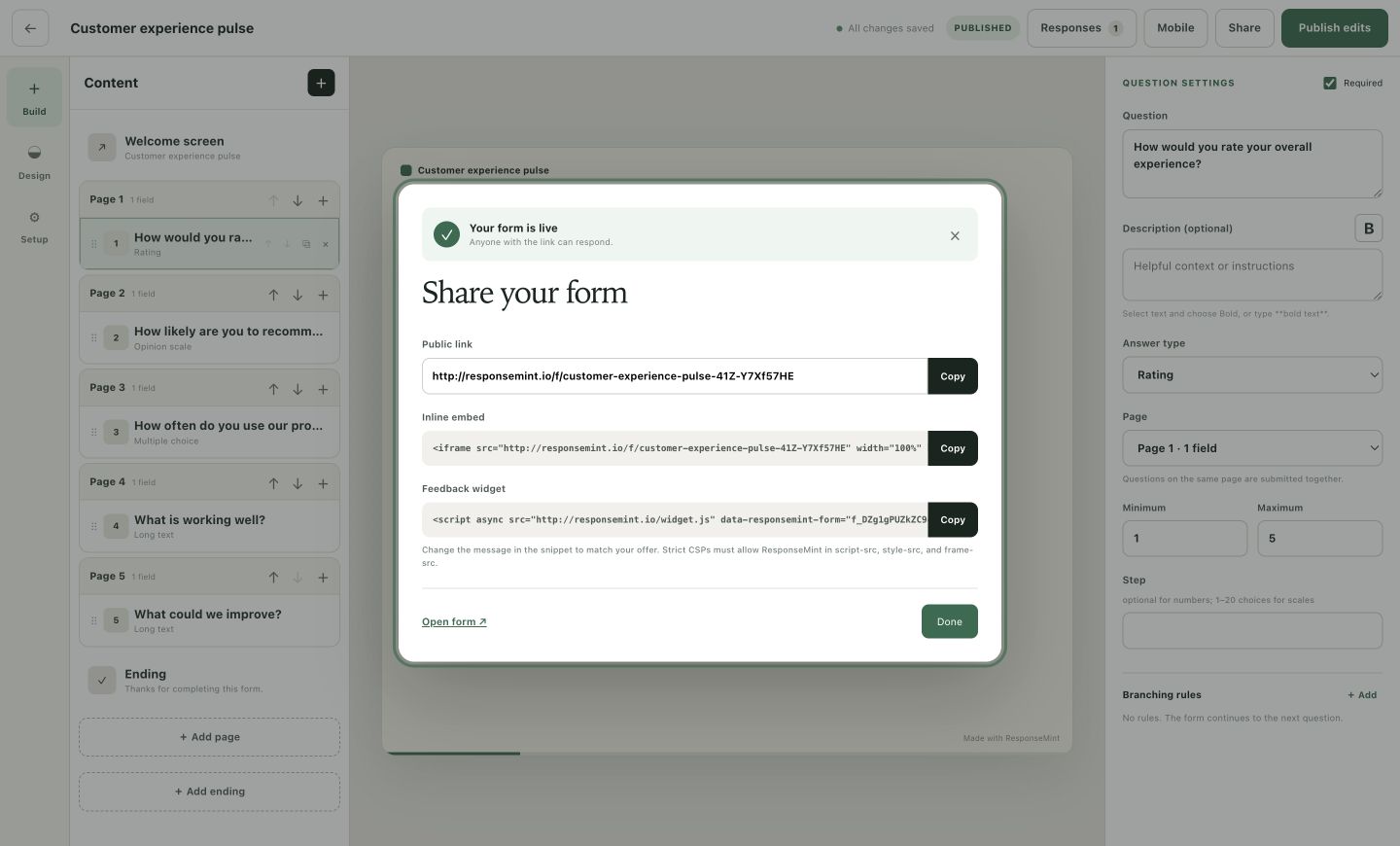
Use one deliberate publish action to move the ready draft to the public form.
Share one URL that continues to serve the latest published version.
Copy an inline iframe or lightweight widget snippet after the form is published.
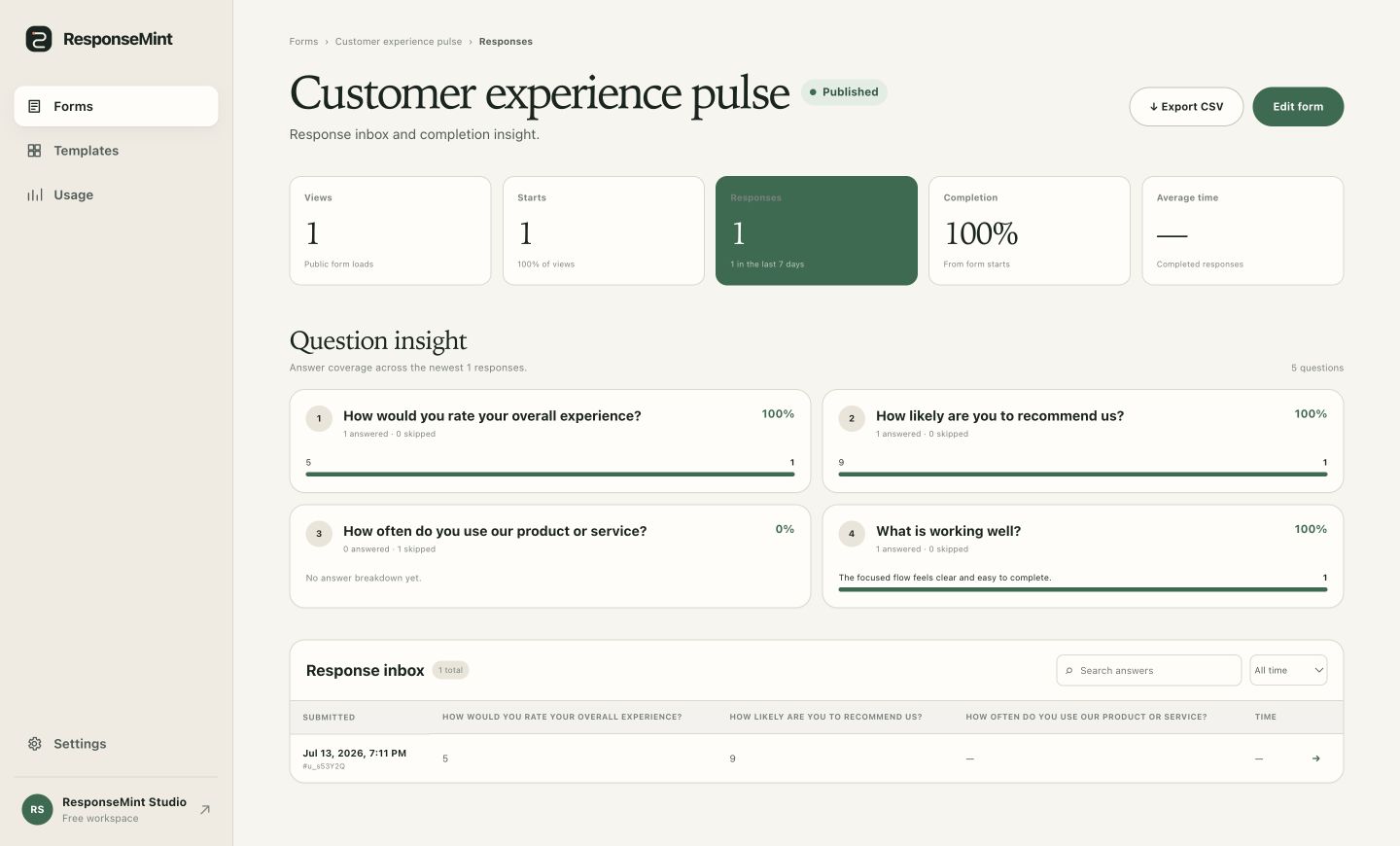
Read a response with the question context from the version that was live when it was submitted.
Stop new responses when a form is no longer active, then reopen and publish when it is ready again.
A practical workflow
The draft can change every minute. The public experience changes only when the next version has earned it.
Rewrite questions, reorder blocks, adjust design, and test logic while the live version stays unchanged.
Check each answer type, mobile view, branch destination, and ending before release.
Release the prepared version behind the existing public link and share or embed it where needed.
Use response insight to plan the next draft while earlier submissions keep their original version context.
After publish
The response workspace connects current metrics with version-aware submissions, so improving the next form does not erase the meaning of the last answer.
Questions buyers ask
No vague promises. These answers describe the product you can use today.
No. Draft changes save in the builder, and the public form changes only after an explicit publish action.
No. The same stable link serves the latest published version.
Yes. ResponseMint preserves the published version associated with each response so its original questions remain understandable.
You can copy its public link, an inline iframe embed, or the feedback widget snippet from the share dialog.
Draft freely, release deliberately
Free to start · No card required